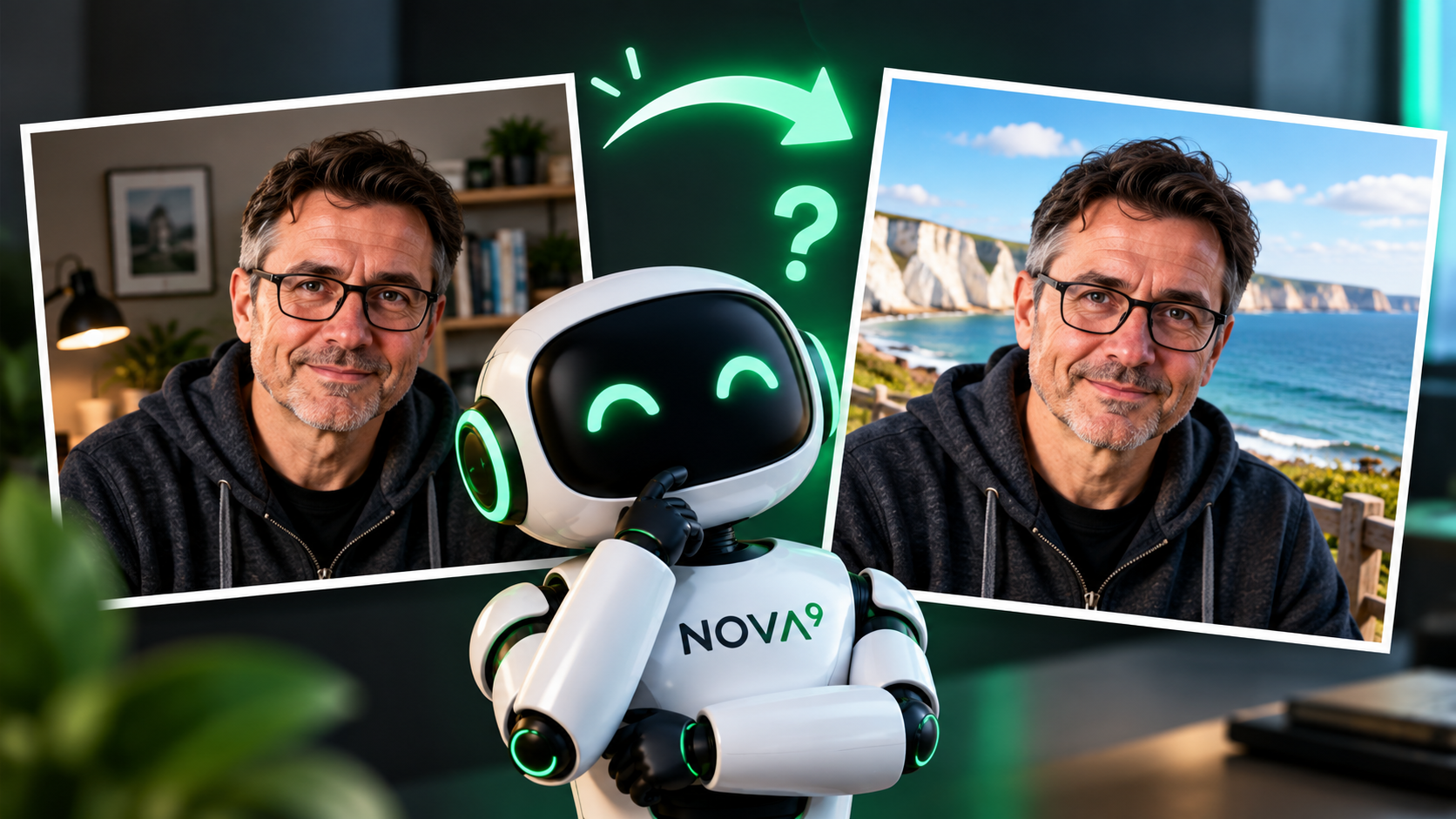
12 Image Terms That Make AI Image Prompts Much Better
You do not need to become a photographer to make better AI images. A small amount of visual language can simply give you more control when the picture AI creates is not quite the picture you had in your head.
You do not need to memorise any of this
Think about a modern camera on automatic mode. You can point it at something, press the button and get a perfectly good photograph without understanding every setting.
AI image tools can work in much the same way. A simple instruction may give you exactly what you want. The problem comes when it does not.
Knowing a few visual terms gives you another control to reach for. You can describe the framing, change the viewpoint, soften the light or explain how much of the background should stay sharp.
And you can still use ordinary language. If you do not know the term shallow depth of field , saying “keep the object sharp but blur the room behind it” may work just as well.
“Create a modern office” gives AI very little direction. “I need a wide website banner showing a modern office. I will place a headline on the left, so keep that part fairly clear” gives it a reason for the image to look a certain way.
If you are unsure how to describe what you want, Nova9's Prompt Builder can help you structure the request, while the Prompt Library has ready-made examples you can adapt.
Start with what is inside the picture
These first four terms help you control what appears in the image, where it sits and where the viewer's eye is encouraged to go.
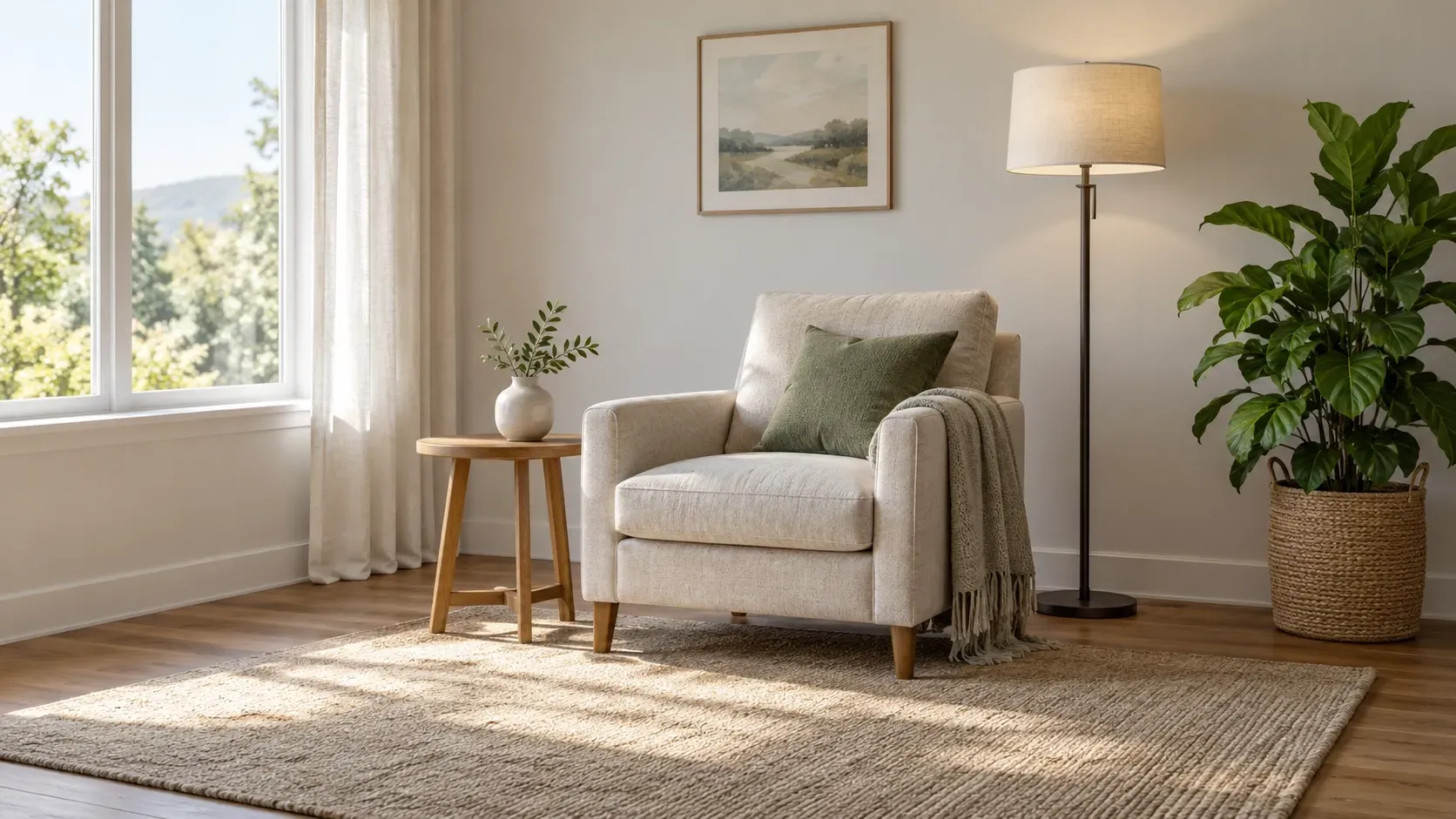
Composition
Plain English: how the different parts of the image are arranged.
Composition is the overall organisation of the scene. If you care where the chair, lamp, plant or product sits in relation to everything else, you are talking about composition.
Use this when:
You need several objects placed deliberately rather than letting AI decide where everything goes.
Framing
Plain English: how much of the scene you can see.
Framing can make the same subject feel very different. A tight frame concentrates attention on the subject. A wider frame gives you more of the surroundings and context.
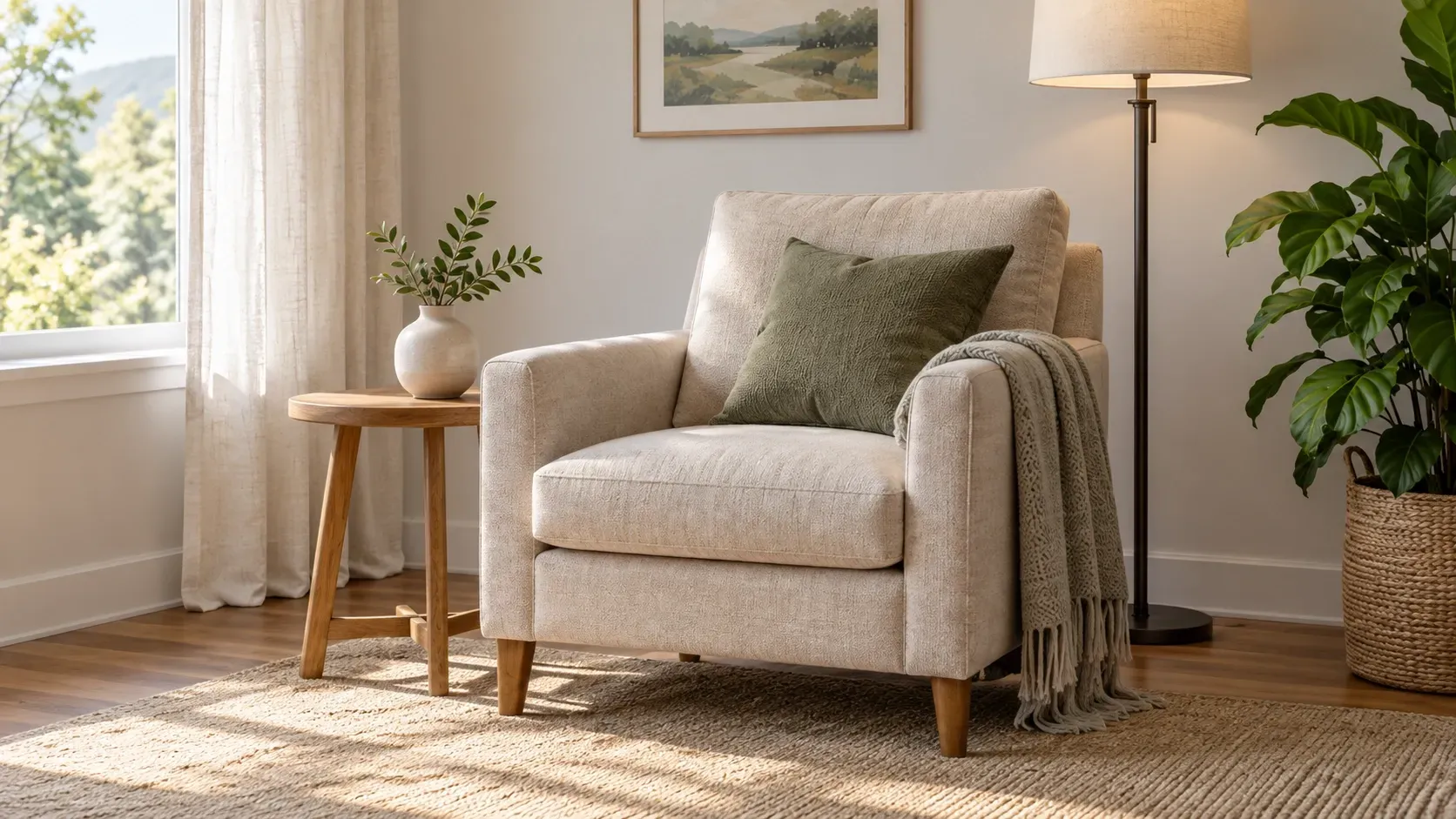
Framing is about what fits inside the picture. Composition is about how everything inside that picture is arranged.
Negative space
Plain English: intentionally leaving part of the image fairly empty.
Empty space is not wasted space. It can make an image calmer, help the subject stand out and give you somewhere to place a headline, logo or other design element later.
Use this when:
You are creating a website banner or social graphic and need clear space for text.

Leading lines
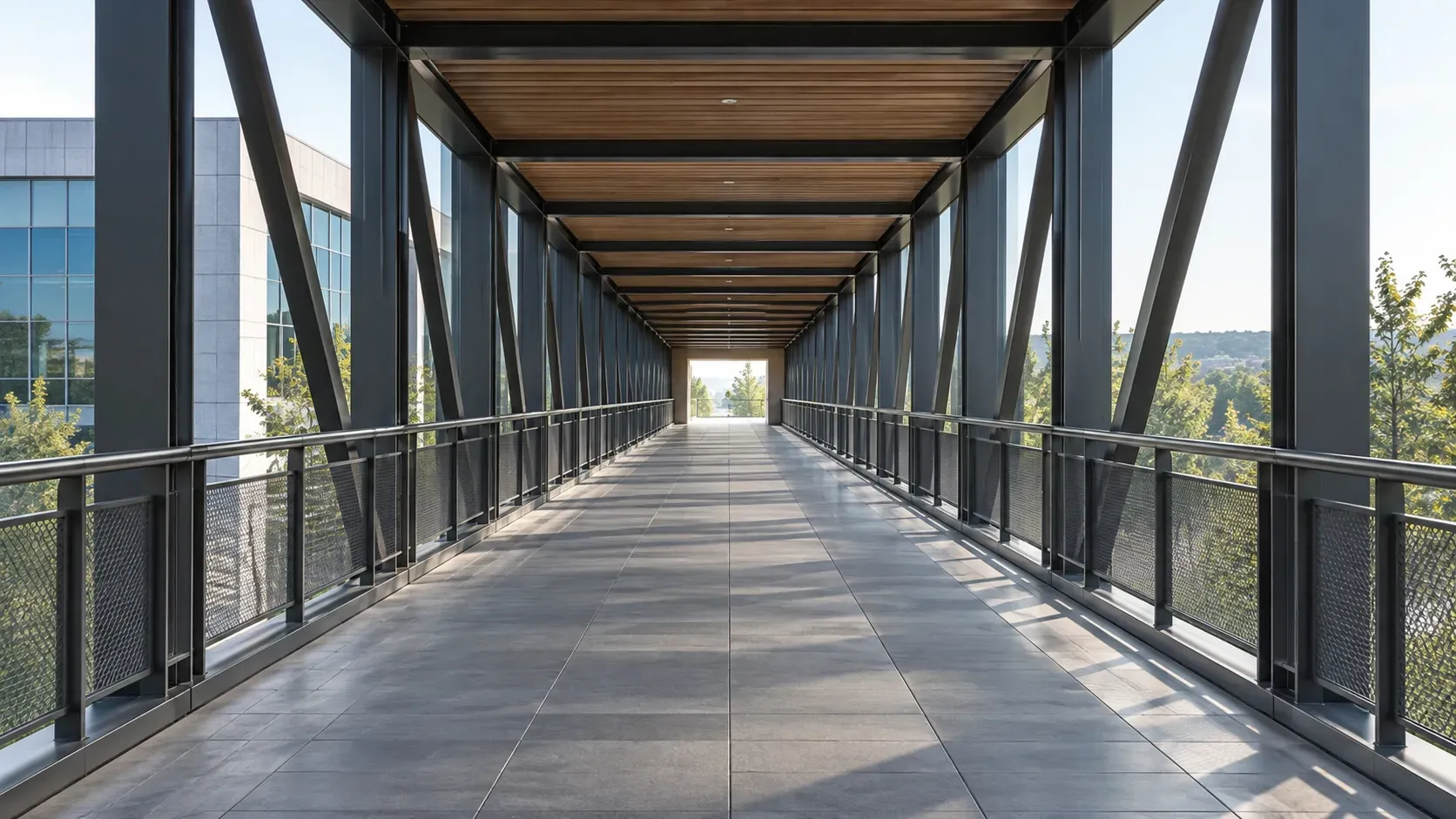
Plain English: lines in the scene that naturally guide your eye.
Paths, railings, walls, shelves and repeating architectural features can all lead the viewer towards an important part of the picture.
Change the viewpoint and the sense of depth
AI can imitate photographic choices even though no physical camera was involved. These terms are useful because they describe how we expect an image to look.
Perspective
Plain English: where we appear to be looking from.
Looking down from above, viewing something at eye level or looking slightly upwards can change how large, important or imposing the same object feels.

Eye level
Try saying:
“Show the object from a low angle, looking slightly upwards.”
Depth of field
Plain English: how much of the picture appears sharp.
A shallow depth of field keeps a smaller area sharp and lets the background fall out of focus. A deeper depth of field keeps much more of the scene sharp.

Shallow depth of field
You can also just say:
“Keep the object sharp but blur the room behind it.”
Bokeh
Plain English: the appearance of the blurred parts of an image, especially points of light.
Bokeh and depth of field are related, but they are not quite the same thing. Depth of field describes how much is in focus. Bokeh describes the visual character of the out-of-focus areas, particularly blurred highlights.

Focal length or lens look
Plain English: whether the scene feels wide and spacious or tighter and more compressed.
You do not need to know lens measurements to use this idea. A wide-angle look can make a room feel larger and show more of the surroundings. A longer-lens look usually feels tighter and can make the distance between foreground and background appear less pronounced.
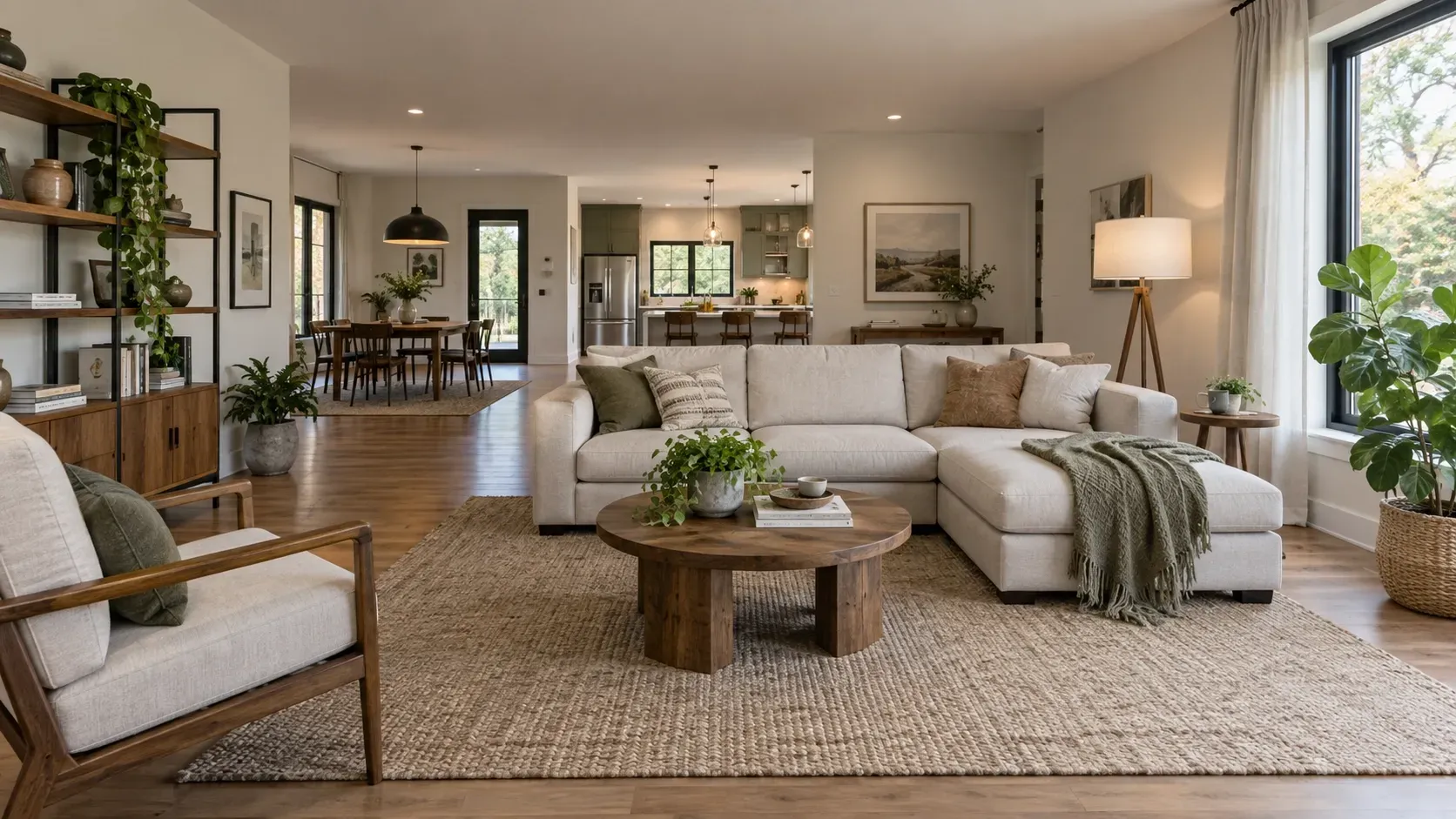
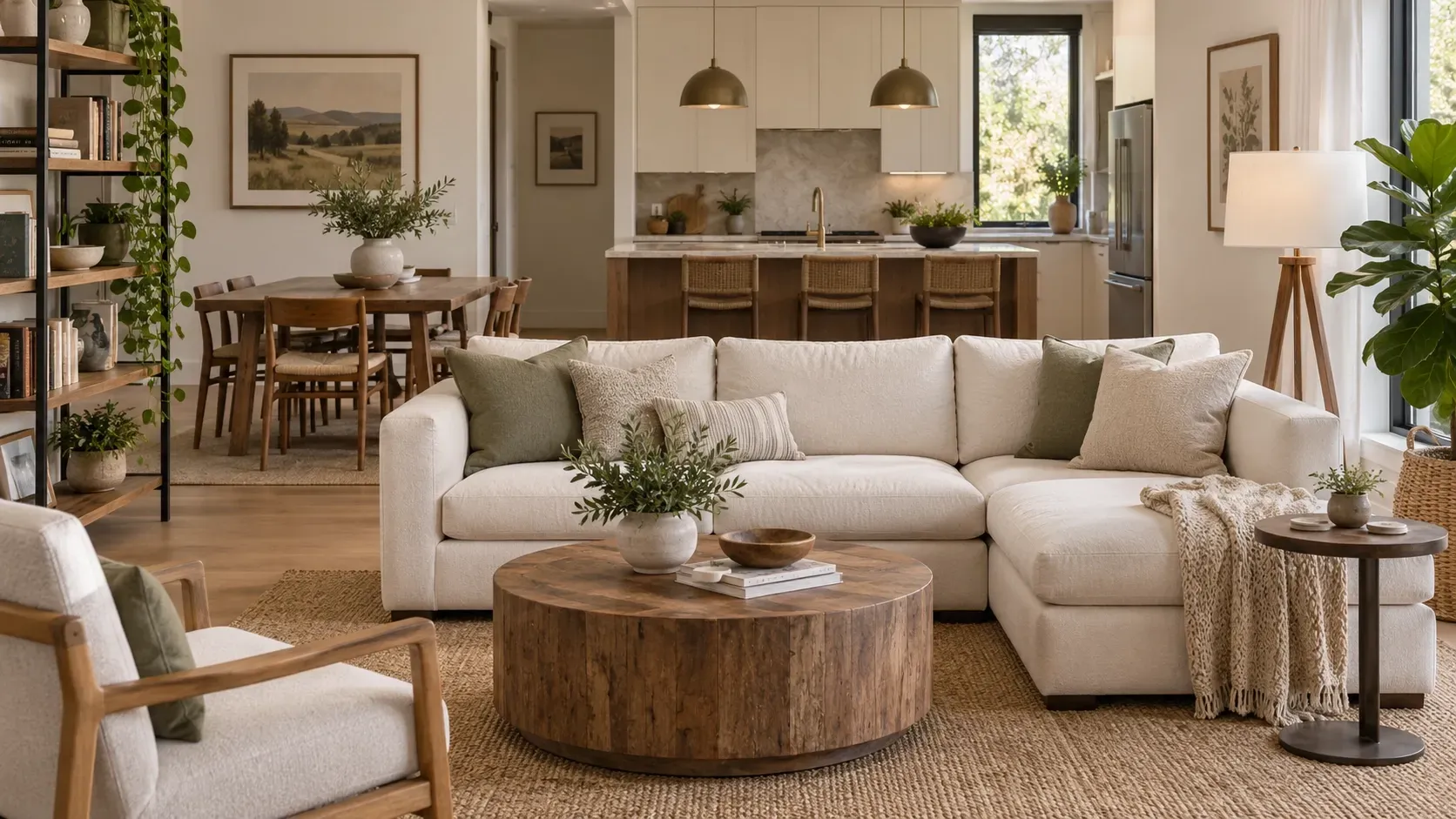
A few small details changed between these versions even though the request was mainly about the lens look. That can happen with generative AI. It may recreate parts of an image rather than changing one property with perfect precision.
That is exactly the behaviour we cover in I Asked AI to Change One Thing. Why Did It Change Everything?
Light changes far more than brightness
Lighting can affect texture, shadow, atmosphere and how clearly an object stands out. You usually do not need complicated studio terminology. Start with the kind of light you want to see.
Soft light
Plain English: gentle light with smooth shadows and softer edges.
Soft light is useful when you want something calm, even and less dramatic. You may also see the phrase diffused light, which describes light that has been softened and spread out.
Hard light
Plain English: more direct light with stronger, clearer-edged shadows.
Hard light can give objects more graphic shape and stronger contrast. It is useful when you want the lighting itself to feel more noticeable.

Soft light
Backlighting
Plain English: the main light is behind the subject rather than in front of it.
Backlighting can create a bright edge around a subject, light passing around its outline or a slightly darker front surface. It can help separate an object from the background without adding more objects to the scene.

The same scene can feel completely different
Colour palette
Plain English: the group of colours used across the image.
Colour palette is useful because it is more specific than asking for an image to feel “nice”, “modern” or “interesting”. You can name a few colours, or describe the palette in ordinary terms such as warm and earthy, cool and muted, or bright and playful.



This is one reason visual terminology can be useful. It gives you a more precise instruction without requiring a much longer prompt.
You can say the same thing without the technical term
The goal is communication, not jargon. If the everyday version describes the result more naturally for you, use it.
| Visual term | Plain-English alternative |
|---|---|
| Shallow depth of field | Keep the object sharp but blur the background. |
| Negative space | Leave clear empty space on the left for a headline. |
| Soft light | Use gentle light without harsh shadows. |
| Low-angle perspective | Show the camera looking slightly upwards. |
| Muted colour palette | Use softer, less intense colours. |
| Wide-angle lens look | Show more of the room and make it feel spacious. |
A prompt packed with “cinematic”, “HDR”, “85mm”, “bokeh”, “volumetric light”, “dramatic contrast” and “golden hour” is not automatically a better prompt.
Every instruction should have a job.
When the picture is in your head but not in your prompt
One of the hardest parts of AI image creation is not always knowing the right term. Sometimes you know exactly what you want when you imagine it, but you have not yet turned that picture into words.
Treat the AI a little like a graphic designer who cannot see inside your head. Tell it what you are making, where the image will be used and what matters. Then ask it to question you.
The important part is one question at a time. That makes it much easier to think about each choice rather than being presented with a long questionnaire.
Copy-ready prompt
I want to create an AI image, but I am not completely sure how to describe the visual result I have in mind.
First ask me what I am creating and where the image will be used.
Then ask me one question at a time about the subject, composition, framing, perspective, lighting, colours and overall feel.
If a visual or photography term would help, explain it briefly in plain English before asking me to choose.
Do not add technical terms just for the sake of it.
Once you understand what I want, create a clear image prompt using natural language and only the visual terms that genuinely help.
If you would rather build the instruction yourself, use the Nova9 Prompt Builder. If you want ready-made prompt ideas, browse the Prompt Library.
A simple place to start
You do not need a huge image prompt. Four questions are enough to start a useful conversation.
Then refine what actually needs refining. Change the framing if the scene feels too wide. Ask for softer light if the shadows are too strong. Leave negative space if you need somewhere for text.
You do not need every control. You just need the one that helps.
Learning a few image terms can make AI easier to steer, but terminology is not the objective. Getting the image you need is.
Use the proper term when it helps. Use ordinary language when that is clearer. Tell the AI what the image is for, and if the picture is difficult to describe, get the AI to draw it out of you one question at a time.
It is much like using a camera on automatic mode. Most of the time you can simply take the picture. When the result is not quite right, knowing what one or two controls actually do can make all the difference.
Useful photography references: Nikon Photography Glossary, Nikon focal length guide and Adobe depth of field guide.