
Microsoft Copilot is the AI assistant built into Microsoft 365
Microsoft Copilot works inside Word, Outlook, Teams and Excel, helping you draft content, summarise meetings, manage email, and explore data without constantly switching between apps.
That is what makes it different from many general AI tools. Most ask you to open a separate chat and bring the job to them. Copilot works the other way around. It lives in the software many people already use every day, which makes it feel more practical from the start.
If your working day already revolves around Microsoft 365, Copilot can save time not because it is flashy, but because it reduces friction across writing, communication, meetings, and spreadsheets.
People and teams already working inside Word, Outlook, Teams, Excel, and the wider Microsoft 365 environment.
Less time lost on first drafts, long email threads, meeting follow-up, and basic data exploration.
It uses Microsoft 365 context, not just the text you type into a standalone AI chat box.
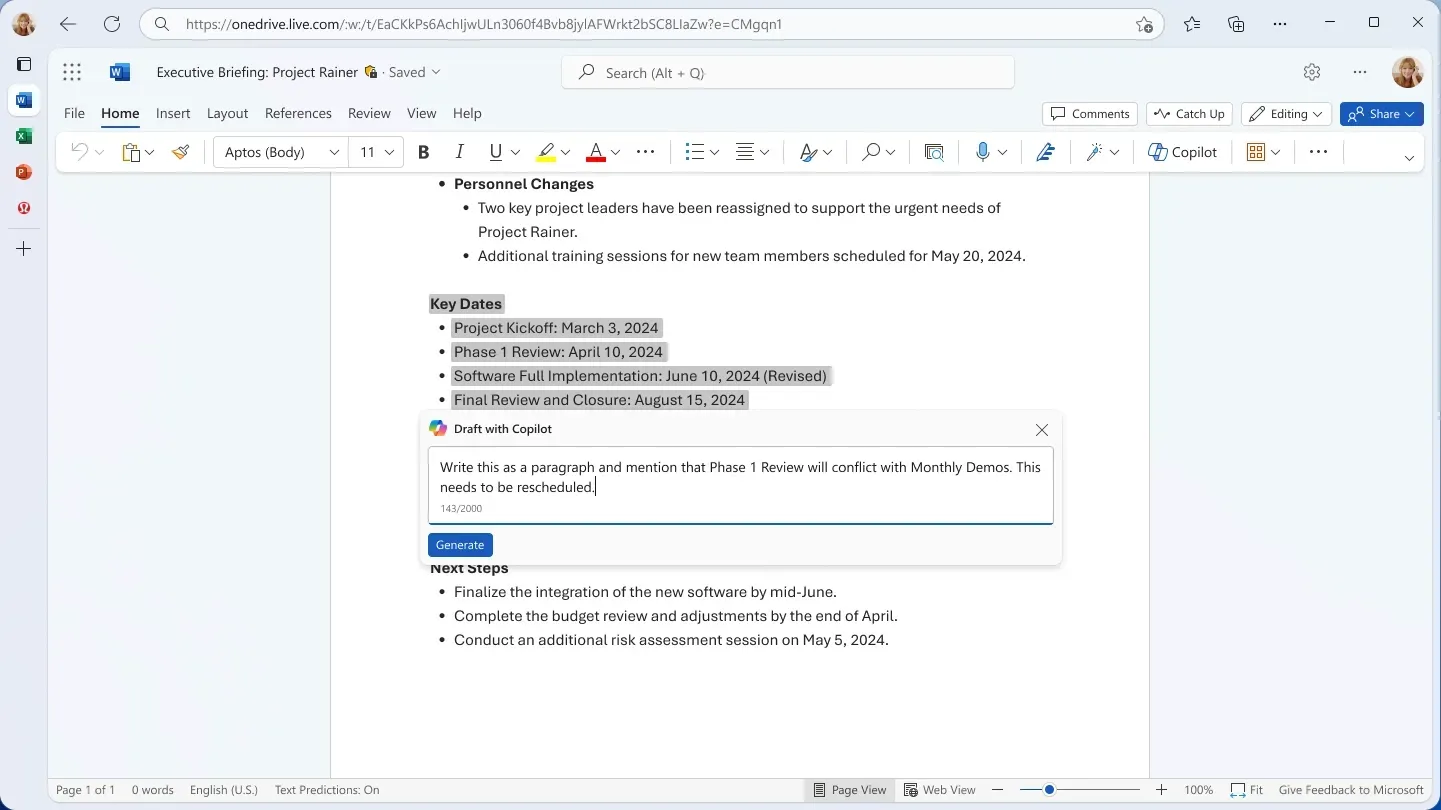
How Microsoft Copilot helps in Word and Outlook
Word and Outlook are where many people feel the value fastest. In Word, Copilot can turn a brief, a few notes, or a rough idea into a structured first draft with headings and paragraphs.
In Outlook, it can summarise long email threads, pull out what matters, and help draft a professional response. That means less time spent decoding conversations and more time making decisions.
Why that matters day to day
- You get past the blank page faster.
- You can catch up on long email threads without reading every line.
- You can draft client updates or internal replies with less effort.
- You spend less time on admin writing and more time on the real work.
What Copilot does in Excel and Teams
Excel is often where confidence drops. Copilot helps by letting people ask plain questions about data instead of relying on advanced formulas from memory. You can ask for a chart, a summary, or a pattern and get a useful starting point quickly.
In Teams, Copilot helps before, during, and after meetings. It can surface context ahead of time, capture the conversation while the meeting is happening, and then pull out actions, decisions, and follow-up afterwards.
Where it saves time
- Plain-English questions about spreadsheet data.
- Quick charts and trend spotting without building everything from scratch.
- Less note-taking pressure during meetings.
- Faster follow-up after meetings end.
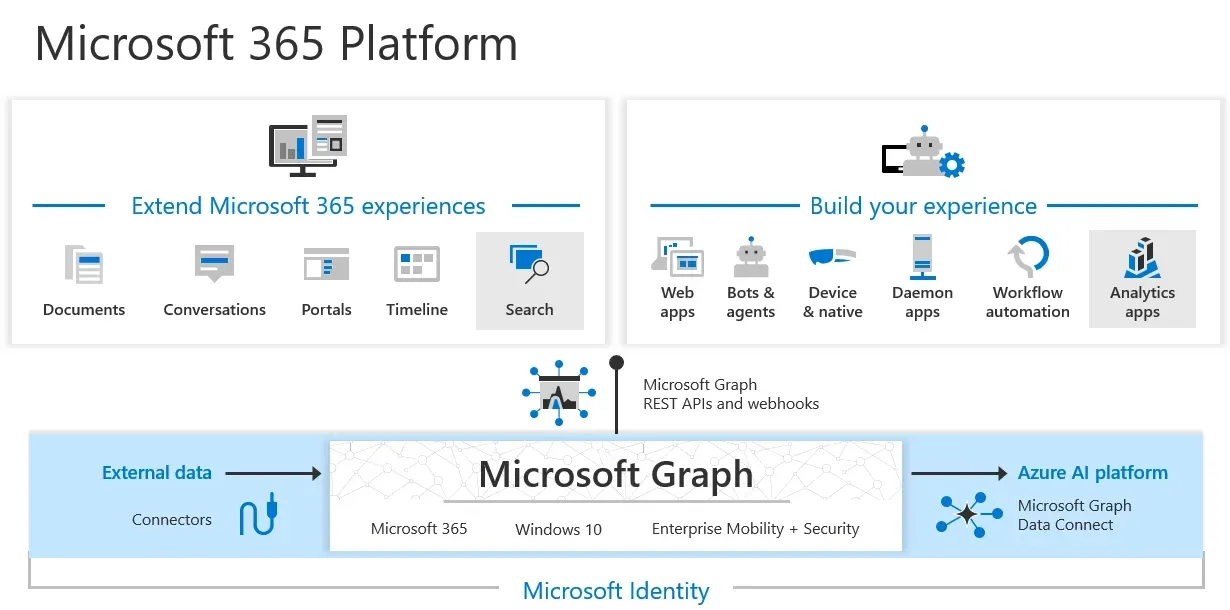
Why Microsoft 365 integration makes Copilot more useful
Many AI tools are impressive in isolation, but Copilot becomes more valuable when it can see the shape of your actual work. That includes recent documents, email threads, meeting notes, chats, and calendar context inside Microsoft 365.
That connected context is why Copilot often feels more relevant than a general chatbot for office work. It is not just answering a prompt. It is helping inside the flow of the work you are already doing.
Copilot reduces the need to jump between separate apps and copy context into a standalone AI tool.
The suggestions are shaped by real business context rather than a single prompt with limited background.
Copilot vs ChatGPT
This is usually the key buying question. Copilot is not automatically better than ChatGPT. It is better for a different kind of use case.
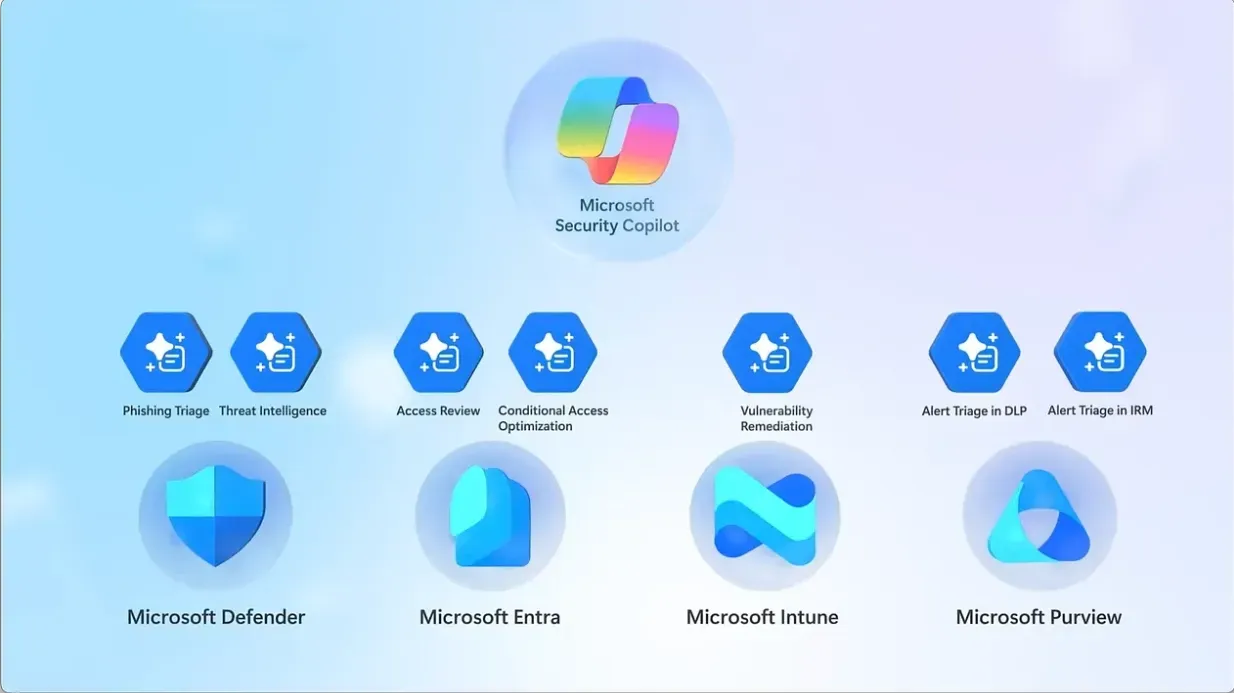
Is Microsoft Copilot safe for business data?
For many organisations, this is the deciding factor. Copilot runs inside the Microsoft 365 environment and is designed around enterprise-grade security, governance, and permission boundaries.
That does not remove the need for sensible internal policy, but it does make Copilot easier to justify for businesses already committed to Microsoft’s ecosystem.
Why security matters here
- Business users want context without losing control.
- Sectors such as finance, legal, and healthcare need stronger governance.
- Data handling often matters as much as output quality.
- Trust is a major part of adoption for AI at work.
Nova9 view
Microsoft Copilot is most compelling when it stays quiet and useful. It does not ask you to replace your current setup. It improves the tools you already open every day, which is why it tends to feel more practical than performative.
If your work already revolves around Microsoft 365, Copilot is worth serious attention. If it does not, a general AI tool may still be the better fit. The right choice depends less on hype and more on where your actual working day happens.